What is a CMMS? What it does, its key modules and where AI fits


A CMMS is the software a company uses to run its maintenance: which equipment it has, what needs inspecting and when, which work orders are open, which parts are in stock and how often each unit breaks down. CMMS stands for computerized maintenance management system; in Spain it’s called a GMAO. In this article you’ll find what it’s for, its modules, how it differs from an ERP, how to choose one and what an AI agent can do on top of it.
What a CMMS is for
- So no PM visit slips through. It stores each unit’s plan and creates the work orders when they’re due, without relying on a calendar on the wall.
- So every unit has its history. What was done, what was replaced and how many times it has failed, all in one place.
- To measure. Response times, MTTR, MTBF and PM compliance come out of its closed work orders.
There’s often a regulatory reason too. In Spain, for example, the regulation on thermal installations (RITE) requires maintenance to follow a preventive maintenance program with minimum intervals, and a record of every maintenance operation and repair, kept by the maintenance company for at least five years. A CMMS is the orderly way to do both.
Key CMMS modules
| Module | What it stores | Example |
|---|---|---|
| Assets | Each unit with its location, make, model, serial number and documentation | The rooftop chiller on a building, with its manual |
| Work orders | Every job, with its status, technician, hours and materials | Last night’s high-pressure alarm, assigned to technician 3 |
| Preventive maintenance | What gets inspected on each unit and how often, and the orders it creates | The quarterly boiler inspection at a condominium |
| Parts and inventory | Which parts there are, where and how many, and what each order used | Filters, belts and pressure switches in van 12 |
| KPIs | What comes out of the closed orders | This month’s MTTR, MTBF and PM compliance |
| Technician app | Work orders on the phone, with the report, photos and signature | The report signed by the customer at the end of the visit |
We explain the KPIs one by one, with their formulas, in MTTR and MTBF: what they are and how to calculate them.
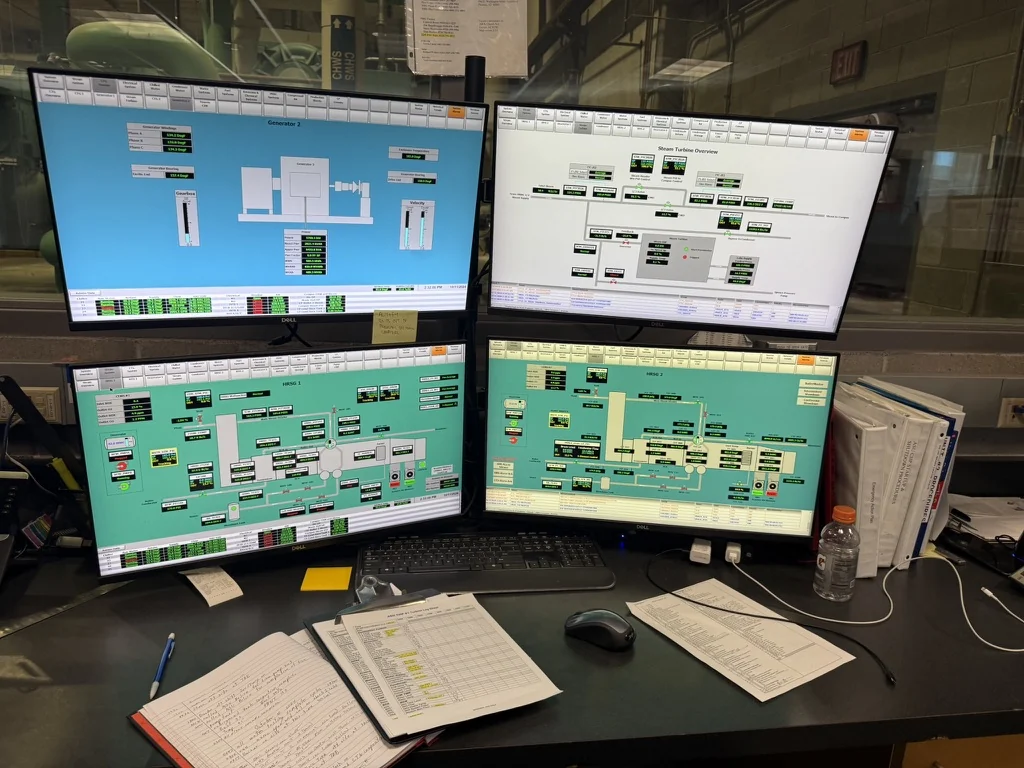
CMMS, ERP and field service software
They get mixed up because they overlap. The difference is what each one puts at the center:
| CMMS | ERP | Field service software | |
|---|---|---|---|
| At the center | The equipment and its maintenance | The business: sales, purchasing, invoices, accounting | The customer, the service call and the technician |
| Mostly used by | The maintenance manager | Accounting and management | Dispatch and technicians |
| Strong at | PM, history and KPIs | Invoicing and the books | Calls, scheduling, reports and agreements |
| Who has one | Whoever maintains their own equipment or their customers’ | Almost every company | Companies that provide field service |
Many maintenance companies don’t have a separate CMMS: they run work orders and PM in the service module of their ERP or field service software. What matters isn’t the name of the software, but that every unit has its history and no PM depends on someone’s memory.
Some CMMS products
There are dozens. These are some you’ll find at maintenance companies, described the way each vendor puts it:
- Fracttal. Maintenance software that presents itself as an AI-powered CMMS: assets, work orders and reporting.
- Rosmiman. Facility and maintenance management software (IWMS, CAFM and CMMS).
- Prisma, by Sisteplant. A CMMS for services, real estate, infrastructure and industry.
- IBM Maximo. Asset lifecycle management for large companies.
- SAP. Maintenance inside its ERP, for companies already running SAP.
This isn’t a recommendation: the right fit depends on your size, your industry and what you already use.
How to choose a CMMS
- Start with the equipment. If you don’t know how many units you maintain or where they are, the first job is the inventory, not the software.
- Check whether your ERP already does it. A separate CMMS is one more place to type the same data.
- Test it with your technicians. If the mobile app is clunky, reports will arrive late or half done.
- Ask how to get your data out. Everything should export, in an open format, without asking permission.
- Ask about integrations. With invoicing, with email and with whoever takes the service calls.
- Count the rollout. Loading equipment, PM plans and agreements takes weeks; ask who does it.
- Be wary of “free forever.” Free plans usually cap users, assets or work orders. Check the limit before loading data.
CMMS and artificial intelligence
A CMMS stores and schedules, but it doesn’t answer anyone. Corrective work orders still start with a call, an email or a text that someone in the office has to take, understand and enter into the system. That’s where an AI agent fits: it doesn’t replace the CMMS, it works on top of it.
What the CMMS does
- Stores equipment, work orders, parts and history.
- Schedules PM and creates its work orders.
- Measures from the closed work orders.
What an AI agent does
- Answers the request by phone, email, text or website.
- Asks for what’s missing: unit, make, alarm, address.
- Prepares the work order in the CMMS or ERP for the office to approve.
What an agent is and what you can delegate to it is in what an AI agent is, and how to test one at a maintenance company is in AI agents for maintenance companies.
In short
A CMMS is the software where maintenance lives: equipment, work orders, preventive maintenance, parts and KPIs. It keeps PM from slipping, gives every unit its history and lets you measure.
It doesn’t answer service calls or fill in work orders on its own. That’s what an AI agent can do on top of it, with someone in the office approving what goes in.
Sources
- EN 13306:2018, Maintenance — Maintenance terminology (UNE, in Spanish)
- Royal Decree 1027/2007, Regulation on Thermal Installations in Buildings (RITE), Articles 26 and 27 and IT 3 (BOE, in Spanish)
- Fracttal
- Rosmiman
- Prisma, by Sisteplant
- IBM Maximo Application Suite
- Photo: Rsparks3, CC0, via Wikimedia Commons
About the author
Joaquín TenésCo-founder of Delegic